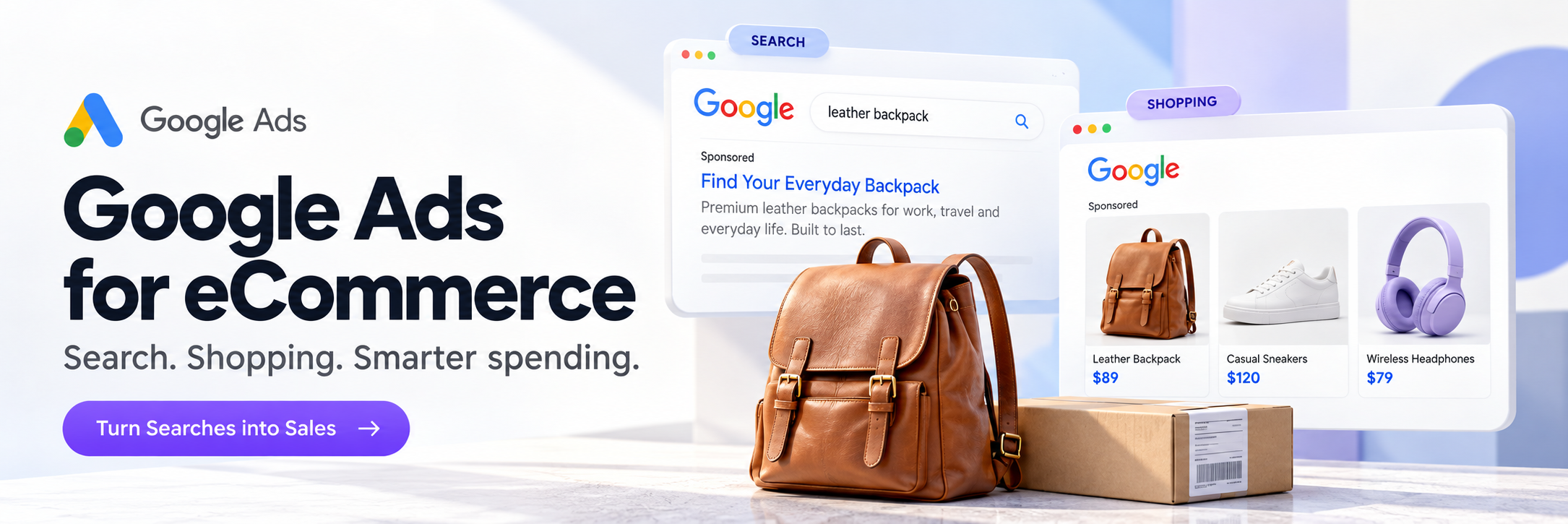

After I published the Meta Ads article, a few people wrote me with the exact same question: "What about Google?" And it's the right question. Because Google Ads and Meta Ads are two completely different animals, and confusing them is an expensive mistake.
Meta Ads is when you interrupt someone scrolling through their feed and say: "Hey, look at what I've got." The person wasn't looking for your product. You showed it to them. It's interruption advertising.
Google Ads is when someone types "buy men's leather backpack" into search. They already want to buy. They're looking for where. And your ad shows up at exactly that moment. It's answer advertising.
Feel the difference? With Meta you create demand. With Google you catch existing demand. And that changes everything: strategy, budget, expectations.
Over 15 years I've set up and managed Google Ads for dozens of eCommerce projects. And I can say honestly: for a lot of stores, Google delivers better ROI than Meta. It just doesn't get talked about as much in reels.
Search vs. Shopping: What’s the Difference and Which One to Pick
There are two main campaign types in Google Ads for eCommerce that you need to know about. Everything else, forget about for now.
Search (Text Ads)
Search (Text ads) are the text results that show up at the top of Google when someone searches for something. Person types "buy Nike Air Max sneakers" and your ad appears first. Text, link, price.

When this works: when people are searching for a specific product or category. "Buy," "price," "order," "shipping" in the query means the person is ready to spend money. This is the hottest traffic that exists.
When this doesn't work: when your product is so new or niche that nobody's searching for it. If zero people are googling "buy smart pillow with sleep sensor," Search ads won't help. That's what Meta is for.
Shopping (Product Ads)
Shopping (Product ads) are those cards with a product photo, price, and store name that appear at the top of Google and in the Shopping tab. Someone searches "women's sunglasses" and sees images of specific models with prices from different stores.

Here's why Shopping is gold for eCommerce: the person sees your product, the photo, and the price BEFORE they click. If they click, they're already interested and already know the price. That means much higher conversion than regular text Search ads.
My recommendation? If you're an eCommerce store, start with Shopping. Not Search. Shopping delivers better ROI for most product-based stores.
Performance Max: The Thing Everyone Talks About
Google is aggressively pushing everyone toward Performance Max (PMax). It's a campaign that automatically shows your ads everywhere: Search, Shopping, YouTube, Display, Gmail, Maps. All in one.
Sounds great. And for big stores with large catalogs and big budgets, PMax actually works. Google collects a ton of data and optimizes automatically.
But for small stores with a $500-1,000/month budget, PMax is a black box. You don't know where exactly your money is going. You can't control keywords. You can't see which search queries drive traffic. Google says "trust us" and spends your budget however it sees fit.
My approach: start with separate Shopping and Search campaigns. Collect data, understand what works. And only then, when you have at least 30-50 conversions per month, test PMax. Not before.
Product Feed: Shopping Doesn’t Work Without This
To run a Shopping campaign, you need a Product Feed. It's a file with information about all your products: title, description, price, image, availability, category. This file gets uploaded to Google Merchant Center and that's where Google pulls the info for product ads.
And this is where most people make their first serious mistake. They upload the feed with automatic product titles from their store and think they're done.
No. The feed is 50% of your Shopping campaign's success. If your product is titled "SKU-12847 Bag Black L" instead of "Men's Leather Backpack Black 15-Inch Laptop Bag," Google won't understand who to show it to. And the shopper won't understand what it is.
Rules for a good feed:
Product Titles
Product title should include keywords people actually search for. Not your internal code, but "brand + product type + attribute + size/color." Example: "Nike Air Max 90 Men's Running Shoes White Size 10."
Product Images
Image needs to be high quality, white background, no watermarks or text overlays. Google rejects products with bad images.
Price and Availability
Price and availability must be current. If your site shows one price and the feed shows another, Google blocks the product.
Google Product Category
Google Product Category should be filled in correctly. This helps Google understand your product and show it to the right audience.
If you're on Shopify, there are apps that auto-generate the feed (Google & YouTube channel app). But even with an automatic feed, check your titles and descriptions manually. Automation rarely gets it perfect.
Budget: How Much You Need to Start
Less than Meta Ads. Seriously.
With Meta you're paying for impressions and clicks from people who weren't looking for your product. Conversion is lower, you need more clicks to find a buyer.
With Google (especially Shopping) you're paying for clicks from people who are already searching. Conversion is higher, you need fewer clicks per sale.
Minimum test budget: $300-500/month for Shopping. $300-500/month for Search. You can start with one and add the other later.
How to split it: 70% on Shopping (this is your main sales channel) 30% on Search (for branded queries and specific product searches)
At $500/month you won't be scaling a business. But you'll get enough data to understand: which products people search for, which keywords convert, what your real CPC and ROAS look like. That data is priceless for scaling later.
Keywords: What to Target in Search
In Shopping campaigns, Google picks keywords automatically based on your feed. That's why the feed matters so much.
In Search campaigns, you choose the keywords. And there are a few rules:
Start with Transactional Queries
Start with transactional queries. "Buy [product]," "[product] price," "[product] order," "[brand] [model]." These are people ready to buy. Not "what is [product]" or "how to choose [product]." Those are informational queries that rarely convert.
Use Exact Match and Phrase Match
Use Exact Match and Phrase Match. Not Broad Match at the start. Broad Match on a small budget will blow your money on irrelevant queries. You'll pay for clicks from people searching for something only vaguely related to your product.
Negative Keywords from Day One
Negative keywords from day one. Add words you want to avoid: "free," "DIY," "homemade," "reviews" (if you don't want to pay for people just reading reviews), competitor names (if you don't want to target them).
Check Your Search Terms Report
Check your Search Terms report every 3-5 days. This shows the actual queries people used when they saw your ad. There are always surprises. I've seen an eyewear store paying for clicks from people searching "how to fix glasses at home." Obviously, those people didn't buy anything.
Google vs. Meta: Which One to Choose
Not "or." "And." But if budget is tight and you have to pick one:
Pick Google If…
Pick Google if: your product has clear search demand (people google it), you're in a competitive niche where price matters (Shopping shows price upfront), your product doesn't need "explaining" (people know what it is and why they need it).
Pick Meta If…
Pick Meta if: your product is new or unique and people aren't searching for it yet, your product is "emotional" (impulse purchase, beautiful visuals sell it), you want to build brand awareness not just direct sales.
The ideal combo: Meta creates awareness and demand, Google catches that demand when people go to search. Someone sees your reel on Instagram, gets interested, then googles your brand or product, and your Google ad catches them at that exact moment. It works like two layers of a funnel.
Mistakes I See All the Time
Launching PMax as Your First Campaign
Launching PMax as your first campaign. Without data, PMax has nothing to learn from. It just spends your budget on Display and YouTube where conversions are lowest. Start with Shopping, collect 30+ conversions, then test PMax.
Bad Product Feed
Bad Product Feed. Product titles with internal codes, descriptions copied from the supplier's site, photos with watermarks. Google either rejects the product or shows it to the wrong people.
Broad Match on a Small Budget
Broad Match on a small budget. You want to "reach more people" and turn on Broad Match. Google happily spends your budget on queries like "how to make a backpack at home." Thanks, Google.
No Negative Keywords
No negative keywords. It's like opening your store doors and inviting everyone in, including people who just came to get out of the rain. Negative keywords are your filter.
Not Tracking Conversions Properly
Not tracking conversions properly. If your Google Ads can't see sales (conversions aren't set up or are set up wrong), it can't optimize campaigns. You're paying for clicks but Google doesn't know which ones led to a purchase. Check conversions before you launch.
Judging Results After One Day
Judging results after one day. Google Ads, like Meta, needs time to collect data and optimize. Minimum 2 weeks of active campaign run before drawing conclusions.
Realistic Expectations
The Testing Stage
$500/month on Google Ads for eCommerce is a testing budget. You'll get data, understand what works, maybe land your first 5-15 sales.
A Working Budget
$1,000-2,000/month is a working budget for a small store. At a ROAS of 3-5x (meaning for every $1 spent on ads you get $3-5 in sales) it becomes a stable channel.
The Scaling Stage
$3,000+/month is scaling. If ROAS is stable at smaller budgets, increasing spend proportionally increases sales. Not always linear, but close.
One important note: Google Ads is not "set it and forget it." It's weekly work: checking search terms, adjusting bids, updating negative keywords, testing new ads, optimizing your feed. If you're not ready to spend 2-3 hours a week on this, or don't have someone who does, results will be mediocre.
When to Bring in a Specialist
Google Ads is technically more complex than Meta. More settings, more campaign types, more places to make mistakes. And mistakes cost money.
If you've spent $300-500 and can't see results, or don't understand why one campaign works and another doesn't, that's normal. Google Ads is a skill that comes with experience.
At iAdsy we set up and manage Google Ads for eCommerce every day. Shopping, Search, PMax. If you want your budget working toward sales instead of "training the algorithm," we can help.
Need help with Google Ads? Reach out, let's talk through your situation.
→ DM on Instagram: @iadsy_com
→ Telegram: t.me/iadsy_ecom
→ Or via our website: iadsy.com
Or .
Vasyl Staroshchuk
Co-founder of iAdsy
I’m Vasyl, co-founder of iAdsy. We build, fix, and scale eCommerce stores. 15+ years, 120+ projects, US and EU markets.
Build It. Launch It.
Keep Getting Better.
eCommerce Next Level · An 8-week live course