
The first Meta (Facebook/Instagram) ad campaign for most store owners goes something like this. Create a campaign, pick an audience of “women 18 – 65, interest: shopping,” set a budget, launch, wait for sales. A week later you check: $300 spent, zero sales. Conclusion: “Meta Ads don’t work” or “I need a bigger budget.”
No, that’s not how it works at all. To get real results you need a completely different approach.
I’ve set up and managed ad campaigns for dozens of eCommerce projects. I’ve seen $500 outperform $5,000, and I’ve seen people burn thousands with nothing to show for it. Every project is unique, and the difference always comes down to the approach, never the budget.
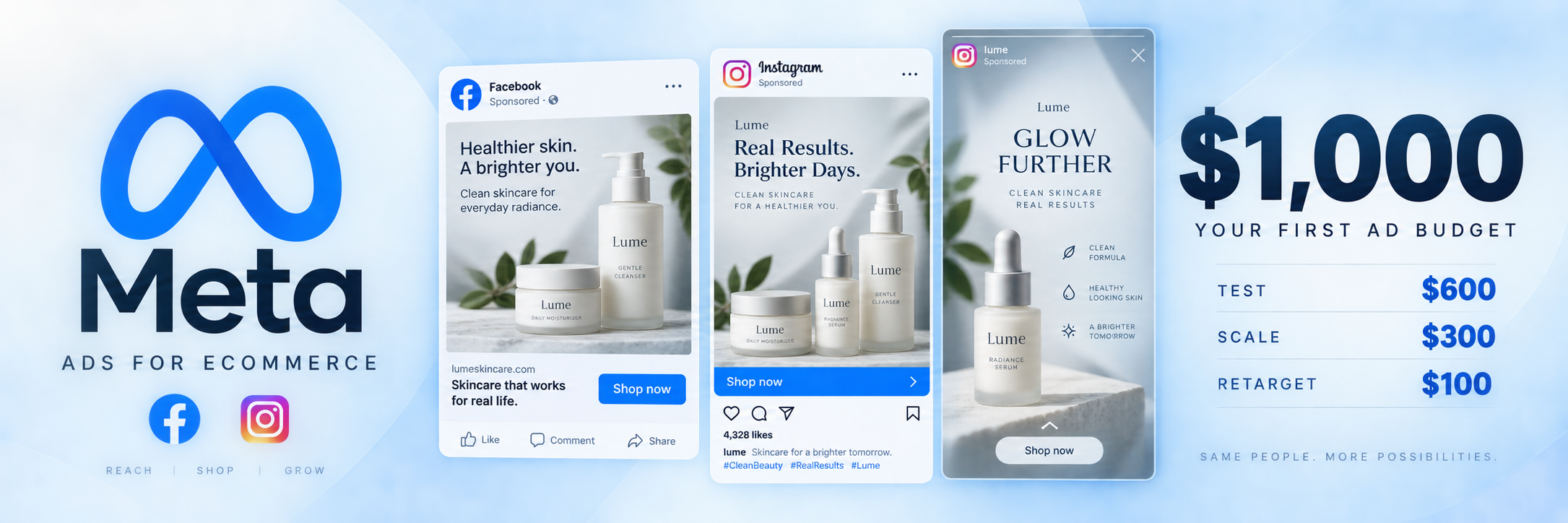
This article is about how to spend your first $1,000 on Meta Ads so they deliver real leads and first sales instead of just draining away.
Before You Launch: Are You Sure Your Store Is Ready?
This is the first thing I check before running any ad campaign. Because ads are an amplifier. If your store is good, ads amplify sales. If your store has problems, ads amplify those problems.
Minimum that needs to be in place before your first launch:
Your homepage explains what you sell within 5 seconds.
Not a pretty banner with no text, but a clear message: what you sell, who it’s for, and why someone should buy here.
Product pages have real descriptions (not two lines), at least 3 – 5 photos, and at least basic reviews.
If you don’t have reviews yet, at least set up a system to start collecting them.
Shipping and return info is easy to find.
The customer shouldn’t have to dig for this. Don’t make your buyer waste their time searching.
Mobile version works properly.
Buy button is visible, checkout is smooth and adapted for mobile, nothing glitches out. From what we’ve observed, 80 – 85% of traffic from ads comes from mobile.
Meta Pixel is installed, configured, and working properly.
Without it you can’t track conversions, and Meta can’t optimize your campaigns.
If even one of these isn’t done, don’t launch ads. You’ll just flush your budget.
How to Split $1,000
The biggest mistake: dumping everything into one campaign and waiting. Here’s how I recommend splitting the budget:
for testing (first 2 weeks). Test different audiences, different creatives, different messages. The goal isn’t sales, it’s data. Figuring out who clicks, who buys, which creative works.
for scaling (weeks 3 – 4). Take what worked in testing and increase budget only on those winning combinations.
for retargeting (running alongside from week 2). Show ads to people who already visited your site but didn’t buy. This is the cheapest and most effective type of advertising.
Campaign Structure: Don’t Overcomplicate It
I see people create 15 ad sets with micro-audiences of 50,000 each. That doesn’t work on a small budget. Meta needs data to optimize, and at $20/day per ad set it simply won’t collect enough information.
Simple structure that works for a first launch:
One campaign optimized for conversions (Purchase).
Three ad sets with different audiences: Ad Set 1: Broad targeting (minimal restrictions, let Meta find your audience). Ad Set 2: Interest-based (2 – 3 interests relevant to your product). Ad Set 3: Lookalike (if you have at least a minimal customer base or site visitors).
Each ad set gets 3 – 4 different creatives.
Budget: $20 – 30/day for the whole campaign using Advantage Campaign Budget (CBO), so Meta distributes budget between ad sets automatically.
Audience: Fewer Restrictions, Better Results
In 2026, Meta’s algorithm is smarter than your guesses about your audience. When you set “women 25 – 34, interest: yoga, organic cosmetics, veganism,” you limit your audience to 200,000 people and Meta has no room to optimize.
What works better:
Broad targeting.
Country, age (only if there’s a clear restriction), gender (only if your product is for one gender). That’s it. Let the algorithm find your buyers. It’ll do it better than you think.
Interest stacking.
Instead of one narrow interest, combine 5 – 7 related interests into one ad set. This gives you an audience of 5 – 15 million, which is enough for proper optimization.
Lookalike.
If you have at least 100 buyers or 1,000 site visitors, create a 1% lookalike. This is one of the most effective audience types in Meta.
Creatives: This Is 80% of Your Success
I’m not exaggerating. In 2026, creative matters more than targeting. Meta will find the right people on its own if your creative grabs attention.
What works for eCommerce:
UGC (user-generated content).
Video where a real person shows and talks about the product. Not studio quality, not polished, but “shot on a phone in a room.” Sounds counterintuitive, but it converts better than professional advertising.
Product carousels.
Show 3 – 5 of your best products with prices. Simple and effective.
Before/After.
If your product solves a visible problem, show the result.
Problem/Solution.
First frame shows the problem (“your skin after winter”), second shows the solution (“after 2 weeks with our cream”).
What doesn’t work:
Stock photos. People scroll right past them without a second glance. Long branding videos with no specifics. Text saying “Buy now 50% off!” with no context.
Tip: create at least 4 – 5 different creatives for testing. One creative isn’t a test, it’s a lottery ticket.
First 48 Hours: Don’t Touch Anything
This is the hardest part. You launched a campaign, an hour passes, $5 spent, zero sales. You want to shut everything down or change something.
Don’t.
Meta needs 48 – 72 hours to learn (learning phase). During this time the algorithm tests different audiences, different times, different placements. If you change anything during this period, learning restarts and you waste money.
Rule: launch and forget for 48 hours. Watch the dashboard only, change nothing.
When to Kill It and When to Scale
After 48 – 72 hours and $50 -100 spent per ad set, look at these metrics:
CTR (Click-Through Rate).
Below 1%, the problem is your creative. People see your ad but don’t click. Change the creative.
CPC (Cost Per Click).
For eCommerce, a normal CPC is $1 – 3. If it’s $5+, either the audience is too narrow or the creative is weak.
Add to Cart.
If you’re getting clicks but no add-to-carts, the problem is your product page. People arrive at your site but don’t find what they’re looking for or don’t trust it.
Purchase.
If you’re getting add-to-carts but no purchases, the problem is your checkout, shipping cost, or lack of trust (no reviews, no clear return info).
Kill an ad set if after $50 – 100 in spend there’s not a single Add to Cart. Scale if you’re seeing consistent purchases with ROAS 2x+.
Retargeting: Your Cheapest Sales
This is someone who already visited your site, looked at a product, maybe even added it to cart, but didn’t buy. They just need a gentle nudge. They already know about you, they just need a reminder.
Create a separate campaign for retargeting:
Audience: site visitors from the last 7 – 14 days. Creative: a reminder about the product they viewed, a review from another customer, or a small discount. Budget: $5 – 10/day. That’s enough because the audience is small.
Retargeting typically delivers ROAS of 5 – 10x. These are your cheapest and easiest sales.
Realistic Expectations from $1,000
Let’s be real. $1,000 is a testing budget. You won’t build a business on $1,000 in ads. But you can figure out which audience responds to your product, find 1 – 2 creatives that work, get your first 5 – 15 sales (depending on niche and product price), collect data for lookalike audiences, and understand whether your store is ready to scale.
If after $1,000 you have a working combination of audience + creative + a store that converts, you’re ready to scale. If not, you know what to fix.
Most Common Mistakes
Running ads on an unprepared store.
I repeat this in every article because I see it every single week.
One creative for the entire budget.
That’s not a test, that’s a lottery. Minimum 4 – 5 variations.
Too narrow an audience.
Give Meta room to work. Broad targeting with a good creative beats micro-targeting every time.
Making changes during the learning phase.
Don’t touch the campaign for 48 hours after launch.
Judging results after one day.
Meta Ads need weeks for stable results. Evaluate by week, not by day.
Ignoring retargeting.
It’s the cheapest type of advertising and most beginners skip it entirely.
When to Bring In a Specialist
If you’ve spent $500 – 1,000 and can’t figure out why you’re not getting results, that’s normal. Meta Ads has a lot of nuances and subtleties that only come with experience.
At iAdsy we set up and manage ad campaigns for eCommerce stores every day. If you want your budget to work instead of vanish, we can help.
Need help with your ads? Reach out, let’s talk about your situation.
→ DM on Instagram: @iadsy_com
→ Telegram: t.me/iadsy_ecom
→ Or via our website: iadsy.com
Or .
Vasyl Staroshchuk
Co-founder of iAdsy
I’m Vasyl, co-founder of iAdsy. We build, fix, and scale eCommerce stores. 15+ years, 120+ projects, US and EU markets.
Build it. Launch it.
Keep getting better.
eCommerce Next Level · An 8-week live course